Image Optimizer
Optimize JPG, PNG, and WebP images for free in your browser, with support for both lossy and lossless image compression.
The inputted text is too long to include in a share link.
Generate a complete favicon package for your website from a single image, including browser icons, touch icons, and install-ready metadata.
Drop a square-ish PNG, JPG, or WebP image here, or use the file picker.
Images are center-cropped to a square before export.
Use this generator when a site, app, landing page, or prototype needs the standard browser and home-screen icons from one source image.
A practical favicon set includes 16x16 and 32x32 PNG icons, a favicon.ico file, a 180x180 Apple touch icon, 192x192 and 512x512 Android icons, and a web manifest that names those install icons. The theme color helps browsers and installed web apps match your brand color.
Favicons are small, so simple marks work better than detailed logos. A bold symbol, initials, or high-contrast shape usually remains recognizable in a browser tab, bookmark list, search result, or pinned shortcut where a full logo would become muddy.
If you are choosing which files to keep, include the ICO and small PNGs for broad browser support, the Apple touch icon for iOS home screens, and the manifest icons for installable web apps. For a simple static site, the default package is usually the safest choice.
The selected image is decoded locally, center-cropped to a square, drawn to canvas at each requested size, and exported as PNG files. The ICO file stores the generated 16x16, 32x32, and 48x48 PNG icons in one icon container. The manifest and HTML snippet use the selected theme color.
Because the icon is center-cropped, leave comfortable padding around the source mark if the original image fills the entire canvas. That reduces the chance of the mark touching the edge after browsers mask or scale it.
Start from a square, high-resolution source with a simple silhouette. Browser tabs display very few pixels, so fine text, thin strokes, shadows, and photographic detail can collapse. Preview at 16 and 32 pixels, not only as a large app icon. A mark can need a simplified small-size variant even when the full logo looks strong.
Leave intentional space around the mark and test light and dark browser chrome. Transparency can make a dark logo disappear on a dark tab, while a solid background may create an unwanted tile. Use a shape and contrast that remain recognizable without relying on a hairline border.
A practical package serves different consumers: an ICO fallback, small PNG browser icons, an Apple touch icon, and web app icons when the site is installable. Do not generate dozens of files without knowing who requests them. Keep filenames stable and place them at paths that match the document links and manifest.
The HTML Standard defines the icon link relationship. Use explicit rel="icon" links for the intended files, serve correct media types, and confirm that requests return images rather than an HTML error page. Browser fallback behavior should not replace correct markup.
Installable web apps use manifest icon entries and may need maskable artwork with a safe zone. A maskable icon can be cropped into different platform shapes, so important details must stay away from the edges. Test installation on the target operating systems rather than assuming the browser-tab icon covers home screens.
Favicons are cached aggressively. A correct deployment can appear unchanged in one browser because an older icon remains cached. Verify the network response and markup first, then test a clean profile or a changed filename when appropriate. Avoid telling users to clear all browser data as the first diagnostic step.
Check every public environment after deployment. A base-path change, CDN rule, content security policy, or asset fingerprint can break icon URLs while the page still loads. Inspect browser tabs, bookmarks, home-screen installation, and pinned or shortcut surfaces that matter to the product.
Store the source artwork and the generated package together with the deployment snippet. When branding changes, replace the full set so old surfaces do not mix generations. For a detailed file and markup review, follow the modern favicon checklist and remove files the site does not actually reference.
Built and maintained by utilkit. Updated . Found an issue? Send corrections to contact@utilkit.com
Optimize JPG, PNG, and WebP images for free in your browser, with support for both lossy and lossless image compression.
Create customizable Sankey diagrams from source, destination, and amount data, then adjust colors, labels, layout, and download PNG or SVG files.
Crop and resize JPG, PNG, and WebP images in your browser with aspect-ratio controls, dimension presets, preview, and download.
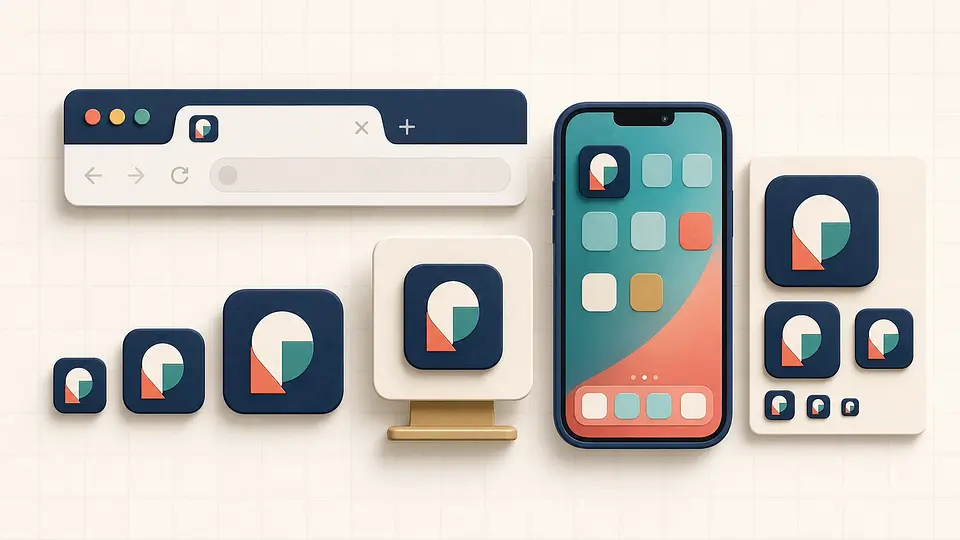
Build a favicon package that works across browser tabs, bookmarks, Apple home screens, and installable web apps—without shipping a pile of unnecessary files.