Percentage Calculator
Calculate percentages, percent change, reverse percentages, percentage-point differences, and percentage add-ons or discounts.
The inputted text is too long to include in a share link.
Convert values across common units for length, area, volume, mass, temperature, time, speed, pressure, and digital storage.
Use this converter when you know a measurement and need the equivalent value in another compatible unit.
This unit converter supports everyday conversions for length, area, mass, volume, temperature, time, speed, pressure, power, energy, digital storage, angles, frequency, force, torque, voltage, current, charge, flow rates, pace, and more.
Choose a measurement type first, then pick compatible units from that group. Results update automatically as you change either value or either unit.
This is most helpful when you are translating a measurement for a recipe, project plan, travel note, specification, classroom problem, spreadsheet, or support message. Keeping the measurement group explicit helps avoid mistakes like treating fluid ounces and weight ounces as interchangeable or comparing digital storage units that use different bases.
The converter uses unit definitions loaded in the browser. Most units use a multiplicative conversion factor within the same measurement group. Temperature conversions use offset formulas because Fahrenheit, Celsius, and Kelvin do not share the same zero point.
For factor-based units, the value you edit is converted through the definition used by the measurement library and then expressed in the other unit.
Rounding is applied for readability. That makes the output easier to paste into notes, estimates, and everyday calculations, but regulated engineering, laboratory, or medical work may require a specific precision rule that should be checked separately.
Identify the quantity before choosing units. Length, area, volume, mass, force, energy, power, temperature, time, and digital storage have different dimensions. Similar names do not make units interchangeable. A pound can refer to mass in ordinary use while pound-force is a force, and a fluid ounce measures volume rather than weight.
Keep the original value and unit beside the result. That creates an audit trail and makes a reversed selection easier to spot. Write unit symbols with the number rather than relying on a column heading that can be separated during copying. For high-stakes work, ask a second person or an independent method to verify both the dimension and factor.
Exact conversion factors do not make an imprecise measurement exact. If a board was measured to the nearest eighth of an inch, a metric result with six decimal places suggests precision that was never observed. Round the final result to the precision the task supports, and keep extra digits only during intermediate calculations.
The BIPM SI Brochure is the international reference for SI units and prefixes. Unit symbols are case-sensitive: m, M, k, and K can mean different things. Do not pluralize symbols or invent capitalization to make them look like abbreviations.
Temperature needs an offset as well as a scale factor. A difference of one degree Celsius equals a difference of one kelvin, but zero Celsius is not zero kelvin. Converting an absolute temperature and converting a temperature change are therefore different operations. Confirm which one a formula expects.
Volume conversions can be region-specific. U.S. customary, U.S. legal, imperial, and metric cups, pints, gallons, and fluid ounces do not all have the same size. Choose the definition used by the recipe, regulation, laboratory, or equipment. If the source says only “cup,” record the assumption instead of hiding it.
Digital storage labels can use decimal prefixes or binary quantities. A manufacturer may use powers of 1000 while an operating system reports related values using powers of 1024 or labels them inconsistently. Compare bytes when reconciling capacity, and distinguish MB from MiB when the receiving audience needs an exact answer.
A conversion does not check whether the value is plausible. After calculating, estimate the order of magnitude and compare it with a familiar reference. If converting square or cubic units, remember that the linear factor is squared or cubed. A result that differs by 10, 100, or 1000 often points to a prefix, dimension, or decimal error.
Use domain-approved references for medicine, aviation, engineering, laboratory work, and regulated trade. Medication doses and concentrations require more than a generic unit factor because patient weight, formulation, route, and prescribing rules matter. This utility is for arithmetic conversion and should not replace calibrated instruments, professional review, or a controlled calculation procedure.
Built and maintained by utilkit. Updated . Found an issue? Send corrections to contact@utilkit.com
Calculate percentages, percent change, reverse percentages, percentage-point differences, and percentage add-ons or discounts.
Generate steady browser audio tones by frequency, waveform, volume, and stereo channel for demonstrations and basic signal checks.
Convert country, region, airport, FIPS, NUTS, UN/LOCODE, domain, and U.S. ZIP/ZCTA codes across major location standards.
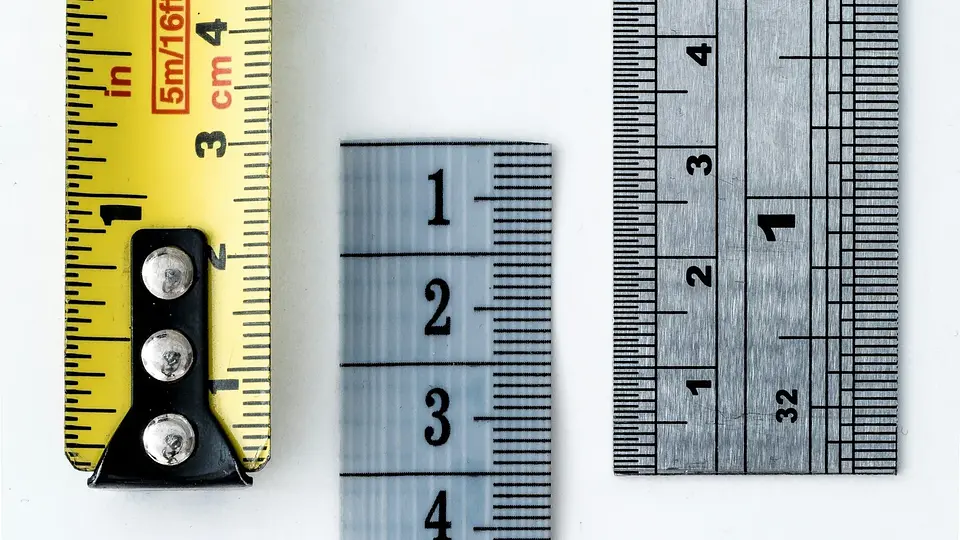
Arrange conversion factors so unwanted units cancel, catch inverted ratios, and keep precision and temperature conversions under control.

Calculate a recipe scaling factor, convert awkward amounts, and know which ingredients, pans, and cooking times need judgment instead of simple multiplication.